Ethical Tech
SeaTable: An Ethical, GDPR-Native Alternative to Airtable for Small Teams
Why I moved Sophie's Bureau's CRM and project tracking off Airtable onto SeaTable, a German-built no-code database with EU data residency by default. With a side-by-side comparison and a serious look at why the free plan is enough for most solo operators.
19 May 2026 · 11 min read · By Sophie Kazandjian
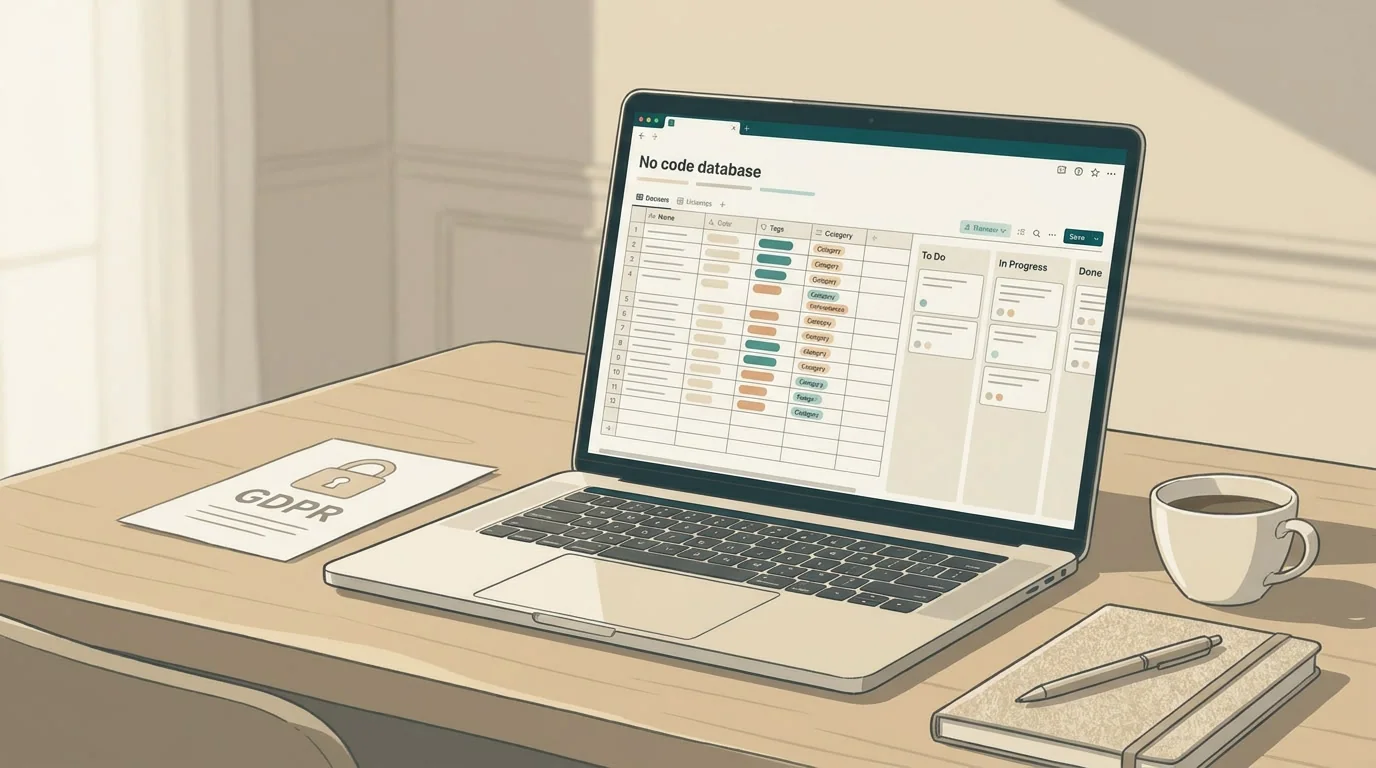
The Airtable problem is jurisdictional, not functional. Here is the German-built database that filled the gap for me, and the realistic EU alternatives if it isn't right for you.
I've been looking for a way out of Airtable for over a year. The tool is fine. The interface is the friendliest in its category and the automation engine works. My problem was always about where my data sits and which country's laws reach it.
My CRM, my project tracking, and most of Sophie's Bureau's internal systems now run on SeaTable. It's German-built, GDPR-native, and the Enterprise plan I'm on costs €18 a month total, with branding I can use. Cheaper than Airtable's most basic paid tier, and the data doesn't sit on US infrastructure by default.
The forms are plainer than Airtable's and the interface has some rough edges, but the core works. I'd rather have a tool with a few weak corners than a polished one with a sovereignty problem.
The Airtable problem, stated plainly
Airtable is a good product. The Interface Designer is excellent. The template library means you can stand up a system in an afternoon. None of that is in dispute.
The gap is jurisdictional. Airtable stores data on AWS servers in the United States by default, and European data residency is only available on the Enterprise plan. For a freelancer or a small consultancy, the Enterprise plan isn't a realistic line item. Unless you can negotiate up to that tier, your records sit in US-East-1, under US law, reachable through the CLOUD Act regardless of who owns the account.
Airtable's Data Processing Agreement includes the EU Standard Contractual Clauses, which is the legal mechanism for transfers, and the company is SOC 2 compliant. The clauses matter, but they don't change where the data physically sits, and they don't override US disclosure law. For anyone working with sensitive client information, that's the limiting factor.
I held off writing about this for months because I didn't want to leave Airtable without somewhere to go. SeaTable closed that gap for me.
What SeaTable is
SeaTable is a no-code database platform built by SeaTable GmbH, headquartered in Mainz, Germany. All servers are in Germany. There is no US fallback, no AWS layer, no shared infrastructure with non-EU providers. The product offers cloud hosting at seatable.io, on-premises self-hosting, and a Dedicated Cloud option for teams who want a single-tenant instance.
The feature set is closer to Airtable than most of the open-source alternatives. Spreadsheet-style grid, linked records, formulas, multiple views (Kanban, Gantt, calendar, gallery, dashboards), forms, automations, role-based permissions, real-time collaboration, and a working API. Scripting in JavaScript and Python is built in rather than an add-on. The AI assistant for automations runs on a self-hosted AI server in Germany, so those workflows don't push data out to OpenAI or anyone else.
If you've used Airtable, the muscle memory transfers within a day. The terminology is slightly different (bases, tables, views), but the mental model is the same.
SeaTable vs Airtable, side by side
How the two compare on the criteria that matter for a small EU consultancy.
| Criterion | SeaTable | Airtable |
|---|---|---|
| Headquarters | Mainz, Germany | San Francisco, USA |
| Server location | Germany only, all plans | US (AWS) by default; EU residency on Enterprise only |
| GDPR compliance | Native, structural | Via Data Processing Agreement and SCCs |
| CLOUD Act exposure | None | Yes, as a US company |
| Self-hosting | Yes, on-premises licence available | No |
| Free plan | 25 users, 10,000 rows, near-full features, JS and Python included | 5 users, 1,000 rows, no scripting, no extensions |
| Entry-level paid | €7 per user / month (Plus) | $10 per user / month (Team) |
| Mid-tier | €14 per user / month (Enterprise) | $24 per user / month (Business) |
| Custom branding | Included on Enterprise | Enterprise plan only |
| AI automation | Self-hosted German AI server | US-based AI providers |
| Scripting | JS and Python, free plan included | JavaScript, paid plans only |
| API | REST and Python SDK | REST, mature, extensive |
| Views | Grid, Kanban, Gantt, calendar, gallery, dashboards | Same plus timeline and Interface Designer |
| Forms | Functional, plainer design | Polished, more design control |
| Mobile apps | Available, less refined | Mature iOS and Android apps |
| Template library | Smaller, growing | Large, mature ecosystem |
Airtable wins on polish, ecosystem, and the maturity of its forms and apps. SeaTable wins on sovereignty, pricing for small teams, and the inclusion of features like Python scripting and full plugin access in the free plan rather than gating them behind a subscription.
The free plan is the real story
For most solo operators reading this, the free plan is where to start. Up to 25 users, 10,000 rows per base, unlimited tables, 2 GB of file storage, one month of version history, and full access to JavaScript and Python scripting, plugins, and the plugin library from the first day. No credit card. No trial-then-pay nudge a fortnight in.
Compare that to Airtable Free, which gives you 5 users, 1,000 rows, no extensions, and no scripting. For a one-person business or a tiny team, SeaTable's free tier works as a permanent home for your CRM, your project tracking, or whatever else you'd otherwise be paying Airtable's Team tier for.
Try it. Build your CRM in it, set up a project tracker, let it sit for a few weeks. If you hit the row limits or want the Python automations and custom branding, Plus and Enterprise are there. If you don't, you've got a working European database for nothing.
What the EU landscape looks like
Before I committed to SeaTable, I looked at the realistic alternatives. There are more than four, but most are either too new, too narrow, or too dependent on US infrastructure to count. The shortlist that qualifies:
| Tool | Base | Hosting | Best for |
|---|---|---|---|
| SeaTable | Germany | EU cloud or self-host | Closest like-for-like Airtable replacement with full EU sovereignty |
| Baserow | Netherlands | EU cloud or self-host | Open-source MIT core, polished UI, strong API |
| NocoDB | India / global | Self-host only for full sovereignty | Layering a no-code UI on an existing SQL database |
| Grist | US, EU self-host possible | Self-host on an EU provider | Teams who think in Python and want real formulas |
Baserow is the most direct competitor to SeaTable. Based in Amsterdam, MIT-licensed at the core, with a UI that's arguably more polished. The reason I didn't choose it is small but real: SeaTable's app builder and AI automations were further along when I tested both, and the German jurisdiction added a layer of comfort for the kind of GDPR-sensitive consultancy work I do. Baserow is a strong choice and worth a serious look. There is no wrong answer between the two.
NocoDB takes a different shape. It puts a spreadsheet UI on top of an existing SQL database rather than running its own. If you already have a PostgreSQL or MySQL instance and want non-technical colleagues to work with it, that's what it's for. As a standalone no-code database, it's the harder path.
Grist is worth looking at if you like spreadsheets and Python. The formula engine uses real Python rather than a proprietary syntax, which suits teams with data analyst leanings. The company is US-based, so for full sovereignty you'd self-host on a European provider like Hetzner or Scaleway. More on your team to manage.
For a small consultancy that wants the closest possible Airtable feel without the US data residency, SeaTable was the clearest pick.
When to upgrade from the free plan
SeaTable's pricing is straightforward. Free up to 25 users. Plus from €7 per user per month. Enterprise from €14 per user per month. Annual billing knocks roughly 20% off the monthly rate.
The case for upgrading isn't usually about the row limits. Most solo operators won't hit 10,000 rows in a CRM or a project tracker for a long time. The case is about three specific features.
The first is full automation. The free plan has scripting; the Enterprise plan has the proper automation builder with triggers, conditions, and scheduled runs. If you want a record being marked complete to send an email, update a linked record, and post to a webhook without you touching it, that lives on Enterprise.
The second is custom branding. Enterprise lets you set a custom URL, custom colours, custom templates. For a one-person business sending clients into shared views and web forms, this is the difference between the operational layer feeling like part of the practice and feeling like a third-party tool you bolted on. Worth €18 a month to me.
The third is advanced permissions. If you have multiple collaborators with different access needs, the granular controls on Enterprise are notably better than the free plan's. A true solo operator may never need them.
Start free. See if it covers what you need. Upgrade only when you actively want one of those three things. Non-profits and educational institutions get 50% off, sometimes more, which makes Enterprise effectively the price of Plus.
How I'm using it
SeaTable runs my CRM, my project tracking, and a few internal operations databases. Client records and their statuses live in one base. Active projects with their phases and deliverables in another. Templates, prompts, and reference material I rebuild for clients sit in a third.
What's working so far: linked records across bases, web forms for client intake, automations that handle status changes and reminders, and the ability to share filtered views with clients without giving them edit access to anything else.
Less smooth: the form designer is plainer than Airtable's, and some keyboard shortcuts I'd grown attached to in Airtable don't have direct equivalents. Neither is a dealbreaker. A working European database with workmanlike forms beats the prettiest interface on US infrastructure.
The things to know before you switch
A few small things that caught me, in case they're useful.
The community plugins and template ecosystem is smaller than Airtable's. You'll do more building from scratch, which is fine if you like that and frustrating if you don't.
The mobile experience is acceptable but not yet at parity with Airtable's apps. I work on desktop, so this isn't an issue for me. It might be for you.
Migration from Airtable is mostly a CSV-export job, table by table. SeaTable has an import wizard that handles standard column types cleanly. Linked records and complex formulas need rebuilding by hand. Budget half a day for a small base. A complex multi-base system needs two or three days, including testing.
The documentation is good in English but the underlying company communication is sometimes German-first, with English following. This has never blocked me, but it tells you where the product's centre of gravity is.
Where this sits in a wider migration
I've been working through a slow move off US-headquartered tools for client-facing data. The pieces so far: leaving Meta, cancelling ChatGPT, leaving Squarespace, and moving the AI stack to EU residency. SeaTable closes another category I'd been working around. It isn't a clean sweep. My AI research work still touches US infrastructure. But the databases, the records, the things I'm legally responsible for under GDPR, those now sit in Germany.
If you handle EU client data and you're on Airtable below the Enterprise tier, this is a switch worth running the numbers on. The functional gap is small and shrinking. The compliance gap is real.
FAQs
- Is the SeaTable free plan really enough for a solo operator?
For most one-person businesses, yes. You get up to 25 users (plenty of room for occasional collaborators), 10,000 rows per base, unlimited tables, 2 GB of file storage, and full access to JavaScript and Python scripting and the plugin library. That covers a CRM, a project tracker, and a few operational databases without paying anything. Airtable Free, by comparison, caps at 5 users, 1,000 rows, with no extensions and no scripting. Start with SeaTable Free and only upgrade when you actively need full automations, custom branding, or more granular permissions.
- Is SeaTable really GDPR compliant, or is it just marketing?
It's structurally compliant rather than compliant-on-paper. All servers are in Germany, the company is a German GmbH subject to German and EU law, and there's no US parent or US infrastructure dependency to leak data through. The AI features run on a self-hosted AI server, also in Germany, rather than calling out to OpenAI or similar. Compliance still depends on how you use it (granular permissions, audit logging, two-factor authentication, etc.), but the architectural foundation is there. SeaTable's privacy and data security statement has the specifics.
- How does the cost compare to Airtable?
SeaTable Plus is €7 per user per month. Enterprise is €14 per user per month. Both come down roughly 20% with annual billing. Airtable's Team plan is $20 per user per month, and its Business plan is $45 per user per month. EU data residency on Airtable requires the Enterprise plan, which is quoted not listed, and starts at a level most small teams can't justify. For solo or small-team operators, SeaTable is the cheaper path to a database with comparable functionality, and the only path to one with EU data residency by default.
- What about Baserow? Why not that?
Baserow is a strong alternative and I'd recommend it to anyone evaluating SeaTable. Dutch, MIT-licensed at the core, with a cleaner UI. I picked SeaTable because the app builder and AI automation features were more developed when I tested both, and Germany felt like the most stable jurisdiction for the GDPR-sensitive work I do. If your priority is open-source licensing purity, Baserow wins on that criterion. If your priority is the closest like-for-like Airtable replacement, it's close to a tie. There is no wrong answer.
- Can I self-host SeaTable?
Yes. SeaTable sells an Enterprise Edition server licence for on-premises hosting, and there's a free Developer Edition for evaluation and small teams. Self-hosting gives you full control over where the data sits and who can reach it, at the cost of having to maintain the server. For most freelancers and small consultancies, the managed cloud at seatable.io is the right starting point. If you've got a dedicated IT setup or a strong reason to keep data in-house, the on-premises route is there.
- How hard is the migration from Airtable?
The data itself moves cleanly through CSV export and SeaTable's import wizard. Linked records, lookup fields, and complex formulas need rebuilding by hand because they don't translate one-to-one. Automations have to be re-created in SeaTable's automation builder, which is similar in concept but different in syntax. For a small base, budget half a day. A complex multi-base system needs two or three days, including testing. Plan it on a quiet week.
- What does SeaTable not do well?
Forms are functional but plainer than Airtable's. The plugin and template ecosystem is smaller. The mobile apps work but aren't at parity with Airtable's. Keyboard-only navigation has some gaps. None of these were dealbreakers for me, but if you depend on any of them heavily in your current setup, test before you commit.
- What about NocoDB or Grist?
NocoDB is a good fit if you already have a SQL database and want to put a no-code interface on top of it. It isn't a standalone database in the way Airtable or SeaTable are. Grist suits teams who like Python formulas and want real programming power inside a spreadsheet, but the company is US-based, so for full sovereignty you'd need to self-host on a European provider. Both are worth a look for specific use cases. Neither was the right shape for a one-person consultancy that wants a working CRM out of the box.
- Will my clients have to learn SeaTable?
No. Clients interact with shared views, web forms, or filtered links. They don't need an account or any familiarity with the platform. From their side, it looks like a clean form or a read-only view of their project. The Sophie's Bureau branding on the Enterprise plan means it doesn't feel like sending them into a third-party tool, which keeps the operational layer of the practice feeling cohesive.