Working with AI
My 2026 AI Stack: AI Tools for Calm, Human-Led Digital Operations
The AI tools I use in my digital operations practice, organised by thinking, making, and running. What I reach for, what I dropped, and why.
14 Jan 2026 · 12 min read · By Sophie Kazandjian

Updated March 2026. This article was originally published in January 2026. Since then, I've dropped ChatGPT and Perplexity for ethical reasons and added Mistral Le Chat and GreenPT. I've also started questioning some of the other tools in this stack more closely. The rest has stayed stable. Here's where I am now.
Most people talk about AI in the abstract. I'd rather show you what I actually use, day to day, in real work. For freelancers and small teams, an AI stack should feel calm, not chaotic.
It supports how I run digital operations. Calm systems. Clear thinking. Human accountability. These are tools I keep coming back to. I'm specific about what I use and why.
How I Choose Tools
I don't look for all-in-one solutions. I look for tools that do one thing well and stay in their lane.
I think about my tools in three groups:
Thinking and reasoning
Making and shaping work
Running operations reliably
I have one hard rule. I don't input identifiable client or participant data into AI tools. When AI supports work involving sensitive information, I use anonymised structures, placeholders, or aggregated data, then apply the method securely.
Since January, I've also added an ethical filter. Any tool scoring below three stars on ethics gets excluded. I've written about this in detail in Ditching Perplexity & Comet: A Guide to Ethical AI Alternatives. That article covers the full scoring methodology and compares every ethical research AI and in-browser assistant I could find.
And if you want to understand why these choices go beyond personal preference, read When We Stop Trusting Humans, Who Do We Hand the Power To?, which looks at what happens when algorithms and AI systems are given real decision-making power over people's lives.
What changed since January
Three tools are gone.
ChatGPT is out. OpenAI's trajectory has been impossible to ignore. In February 2026, OpenAI signed a deal giving the US military access to its AI for classified operations, hours after Anthropic refused the same deal over concerns about mass surveillance and autonomous weapons. OpenAI's president donated $25 million to Trump's MAGA Inc super PAC. ICE uses ChatGPT-4 for resume screening. ChatGPT uninstalls surged 295% in a single day and a grassroots QuitGPT campaign now claims over 1.5 million participants. I wrote about why I cancelled ChatGPT before any of this happened. The Pentagon deal confirmed I made the right call.
Perplexity and its Comet browser are out. Jeff Bezos is an investor. US jurisdiction. Ongoing publisher lawsuits over copyright. I reviewed every ethical alternative I could find and wrote it all up in Ditching Perplexity & Comet.
Two tools have come in.
Mistral Le Chat is in. French-headquartered, GDPR compliant, open-source models, Deep Research mode with citations. It's the strongest EU-based research AI I've tested and it now handles most of the research work I used to do in Perplexity.
GreenPT is in. Dutch, 100% renewable energy, EU-only infrastructure, real-time CO₂ tracking per query. The accuracy isn't at the level of Mistral or Claude yet (it runs smaller models and can produce confident but wrong answers on niche topics), but the environmental credentials are the strongest I've found anywhere. I use it for general drafting and keep testing it as the models improve.
Claude: primary thinking partner
Claude is where I do my hardest thinking. Complex reasoning, code troubleshooting, system logic, documentation structuring, working through problems with multiple dependencies. I rely on it heavily for HTML and CSS diagnosis, especially when something breaks quietly and needs careful tracing through specificity conflicts and responsive breakpoints.
Claude holds context well across a long working session. It explains why something works or fails, not just what to change. When one fix could break three other things downstream, that distinction counts.
I use Claude to think, not to publish. Everything gets reviewed, tested, and rewritten.
Anthropic is US-based, which means CLOUD Act exposure. I accept that trade-off with open eyes because nothing else matches it for the kind of work I do. But I don't put all my work through Claude. EU-based research goes through Mistral. That's a conscious split. For more on how I think about this trade-off, see my ethical AI alternatives guide.
Claude Design: building and prototyping
This is the newer half of how I work with Claude. Where the thinking partner reasons through a problem, Claude Design builds the thing. You describe a page or an interface in plain sentences, it writes the code and draws it on a canvas while you watch, and you shape it by talking. I've used it to prototype and launch several sites this way, including this one and my music site, and to design browser tools and app prototypes, an animated music visualiser among them.
It runs on the same principle as the rest of the stack. The machine is quick and tireless and now and then plainly wrong, and the judgement of when something is finished stays with me. Claude Design does the building. Nothing ships without me reviewing and reworking it, the rule I hold for everything else here.
What it changed is the cost of trying. An idea that used to mean a day of my own work now takes minutes, so I can build three versions, throw two away, and keep the one that feels right. I wrote about that in building the visualiser.
Mistral Le Chat: EU research and ethical backup
Mistral is French, regulated under GDPR and the EU AI Act, and its models are open-source and auditable. Deep Research mode produces structured, citation-rich reports that rival anything I got from Perplexity. It handles voice input, has Projects for organising ongoing work, and reasons well across multiple languages.
One caveat: Mistral uses Microsoft Azure and Google Cloud as sub-processors, and its data training policy is opt-out not opt-in. Data could pass through US-owned infrastructure despite Mistral itself being French. For most of my work, that's an acceptable compromise. For clients with the strictest sovereignty requirements, it's worth knowing.
GreenPT: the environmental contender
GreenPT has the strongest environmental credentials of any AI tool I've used. Dutch-headquartered, running entirely on renewable energy in EU data centres (Scaleway, France), with self-hosted open-source models and real-time CO₂ tracking per query. No external API calls. No data leakage.
The capability gap is real though. GreenPT runs smaller models (Mistral Small 24B and GPT-OSS 120B) that produce noticeably more factual errors than frontier tools. In direct testing for my ethical AI guide, it confidently misidentified AI models used by other platforms. For general conversation and drafting, it's fine. For research where accuracy counts, verify everything.
I'm keeping it in the stack because I want it to succeed and the models will improve. But I don't rely on it for anything that needs to be right first time.
NotebookLM: synthesis across documents
NotebookLM is where I go when I'm working across multiple documents that need to talk to each other. Briefings, past reports, research materials, reference files. It pulls out connections I'd otherwise miss and keeps a coherent view across complex inputs.
The audio overview feature is useful for getting oriented on a project when I'm away from my desk.
I should flag the obvious tension here: this is a Google product, and I'm in the middle of migrating away from Google. I haven't found a privacy-respecting alternative that does what NotebookLM does for multi-document synthesis. When I do, I'll move. For now, I don't put sensitive client data through it, and I treat it as a tool with an expiry date in my stack.
Brave Leo: in-browser AI
Brave Leo replaced Perplexity's Comet browser for me. It's built into the Brave browser I was already using, summarises webpages, analyses PDFs, translates content, and provides contextual help via a sidebar. Zero data retention. Multiple model choices including Mistral, Claude, and Llama.
Leo reads and analyses pages but can't interact with them (no clicking, no form-filling). For that I use Claude in Chrome, which works inside Brave despite the name. Full details on both in my Comet alternatives guide.
Brave is US-based, which limits its sovereignty credentials, but the privacy architecture is strong. No server-side logs, no training on conversations.
Canva: visual production
Canva is where I turn ideas, data, and content into clear, usable visuals. Slides, worksheets, flyers, social assets, PDFs, internal documentation. It's not a shortcut. It's a production environment that lets me iterate fast without losing clarity or consistency.
Leonardo AI: image and video generation
Leonardo generates images and short video sequences when stock visuals fall short. Social content, blog imagery, presentation assets, concept visuals. I regularly use Nano Banana Pro for higher-quality images and Kling for short-form motion and animation.
I generate selectively, review critically, and curate carefully. Volume is never the goal.
Filmora: video editing
Filmora is my primary video editing tool. I use it to assemble, refine, and finish video content with precise control over pacing, layout, and structure, with light AI assistance where it genuinely helps.
Suno: audio creation
Suno generates custom background music and sound elements for short-form video and presentations. It lets me match tone and pacing without depending on generic stock libraries. Only outputs that meet a professional standard get used.
ElevenLabs: voice
ElevenLabs handles narration and voiceover for video content. The quality is natural enough to use without distraction. I'm careful about consistency and consent when working with voice features.
ClickUp: project management
ClickUp runs my projects. Its AI features help with task structuring, project templates, and drafting clear task descriptions. I use the AI to reduce setup time, not to manage accountability. The system stays explicit and visible.
Airtable AI (Omni): pattern recognition
Omni supports pattern recognition inside Airtable. I use it for qualitative analysis, theme spotting, and sense-checking complex datasets. It pulls out signals. I verify the numbers separately.
Make: complex automations
Make handles multi-step workflows with conditions and branching logic, including finance and reporting processes. Once built, these systems run in the background without needing me.
Zapier: simple automations
When I need something fast and reliable with minimal logic, Zapier handles it. I use it more often than Make, but for lighter work.
Otter.ai: meeting capture
Otter captures spoken thinking. Meeting notes and lighter transcription where speed and accessibility count. Useful for capturing live discussions and turning them into usable notes. Capture work as it happens. Structure it later.
Sonix: precision transcription
Sonix handles complex audio where accuracy counts. Interviews, layered discussions, content that will be reused or published. It consistently outperforms other tools when nuance, terminology, or clarity are on the line.
Otter and Sonix serve different purposes. One is for flow. One is for getting it right.
MailerLite: email and automation
MailerLite runs my newsletters, forms, onboarding sequences, and operational automations. Tagging, conditional logic, and structured flows keep communication running reliably without constant manual work.
SaneBox: inbox management
SaneBox learns what's urgent and what can wait, letting me focus on priority messages without constant triage. That protects my focus, which is worth more than most tools.
How the Stack Works Together
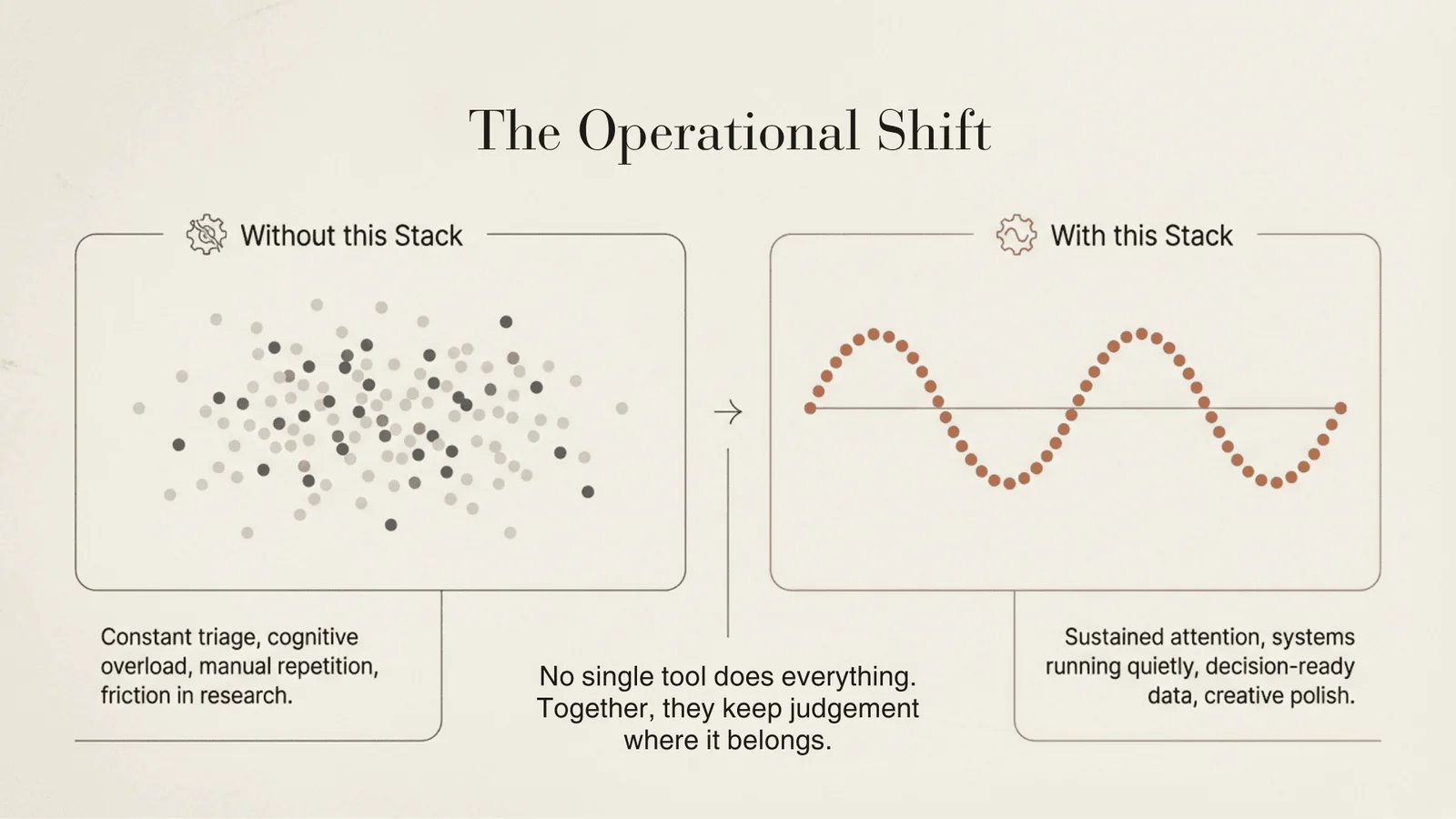
No single tool does everything. Each supports a specific task. Together, they reduce friction and cognitive overload while keeping judgement and responsibility with me. That's the stack. It's calm, it's selective, and I stay in charge.
The Stack at a Glance
| Tool | Role | HQ |
|---|---|---|
| Thinking & Reasoning | ||
| Claude | Primary AI. Complex reasoning, code, system logic, document analysis | USA |
| Mistral Le Chat | EU research AI. Deep Research with citations, multilingual reasoning | France |
| GreenPT | Drafting and general conversation. Strongest environmental credentials | Netherlands |
| NotebookLM | Multi-document synthesis. Connections across complex inputs | USA (Google) |
| Brave Leo | In-browser AI. Page summaries, PDF analysis, translation | USA |
| Claude in Chrome | Agentic browsing. Clicks, forms, navigation, multi-step tasks in-browser | USA (Anthropic) |
| Making & Shaping | ||
| Canva | Visual production. Slides, worksheets, social assets, PDFs | Australia |
| Leonardo AI | Image and short video generation. Blog, social, presentation visuals | Australia |
| Filmora | Primary video editing. Pacing, layout, structure, finishing | China |
| Suno | Custom background music and sound for video and presentations | USA |
| ElevenLabs | Narration and voiceover for video content | USA / UK |
| Running Operations | ||
| ClickUp | Project management. Task structuring, templates, descriptions | USA |
| Airtable AI (Omni) | Pattern recognition. Qualitative analysis, theme spotting | USA |
| Make | Complex automations. Multi-step workflows, conditions, branching | Czech Republic |
| Zapier | Simple automations. Fast, reliable, minimal logic | USA |
| Otter.ai | Meeting capture. Quick transcription, live notes | USA |
| Sonix | Precision transcription. Interviews, complex audio, publishable content | USA |
| MailerLite | Email, newsletters, onboarding sequences, operational automations | Lithuania |
| SaneBox | Inbox management. Learns priorities, filters noise | USA |
FAQs
- Why did you drop ChatGPT?
OpenAI's direction stopped aligning with my values. The $25 million MAGA Inc donation from OpenAI's president, the ICE contract using GPT-4 for resume screening, and the Pentagon deal in February 2026 where OpenAI gave the US military access to its AI for classified operations were collectively too much. Anthropic refused the same Pentagon deal over concerns about mass surveillance and autonomous weapons. I'd already moved to Claude before any of this, and the Pentagon deal confirmed the decision. Full details in Why I Cancelled ChatGPT.
- Why did you drop Perplexity?
Jeff Bezos is an investor. US jurisdiction. Ongoing copyright lawsuits from publishers. The tool works well, but the ethics don't. I mapped every viable alternative in Ditching Perplexity & Comet.
- Isn't Claude also US-based? How is that different from ChatGPT?
It is, and I don't pretend otherwise. The CLOUD Act applies to Anthropic just as it does to OpenAI. The difference is in how the companies have behaved. Anthropic refused a $200 million Pentagon contract rather than allow unrestricted military use of its AI. OpenAI took the deal hours later. That tells you something about the values behind the product. I still route EU-based research through Mistral Le Chat to limit my US exposure. Using Claude is a conscious trade-off, not a blind one.
- What replaced Perplexity for research?
Mistral Le Chat handles most of my research now. French-headquartered, GDPR compliant, open-source models, Deep Research mode with proper citations. For the hardest analytical work, I still use Claude. Between them, I get EU sovereignty for most tasks and the best available reasoning when I need it.
- What replaced Comet for in-browser AI?
Brave Leo, already built into the Brave browser. Zero data retention, multiple model choices, no setup. For active browsing tasks (clicking, navigating, filling forms), Claude in Chrome works inside Brave and covers what Comet used to do. Full comparison in my ethical alternatives guide.
- Is GreenPT reliable enough to use?
For general drafting and conversation, yes. For research or anything where accuracy counts, verify everything. GreenPT runs smaller models that produce more factual errors than frontier tools. The environmental credentials are the best I've found anywhere. I keep it in the stack because I want the approach to succeed, and the models will improve. But I wouldn't trust it for work that needs to be right first time.
- What are the ethical principles behind this stack?
I don't input identifiable client data into any AI tool. Any tool scoring below three stars on my ethics criteria gets excluded. I prefer EU/Swiss jurisdiction, independent or open-source ownership, transparent data practices, and tools that run on renewable energy where possible. I've written the full scoring methodology in my ethical AI alternatives guide. Beyond the technical criteria, I also consider the broader question of who profits from the tools I use and what they do with that influence. That's why the ChatGPT and Perplexity decisions went beyond data policy into questions about political donations, military contracts, and corporate behaviour. When We Stop Trusting Humans covers why these questions go deeper than personal preference.
- Can I use multiple AI tools together?
Yes, and I'd recommend it. My own setup combines Mistral Le Chat (EU research), Claude (complex analysis), GreenPT (drafting with environmental credentials), and Brave Leo (in-browser work). Spreading your work across tools means you get EU sovereignty for most tasks, the best reasoning when you need it, and you're not locked into any single provider.