Working with AI
Claude Design's Animation Feature: Building a Night Sky in Code
How I built an animated night sky in Claude Design's animation feature, what it can do on a client's website, and how to embed, present or deploy what you make.
27 Jun 2026 · 5 min read · By Sophie Kazandjian
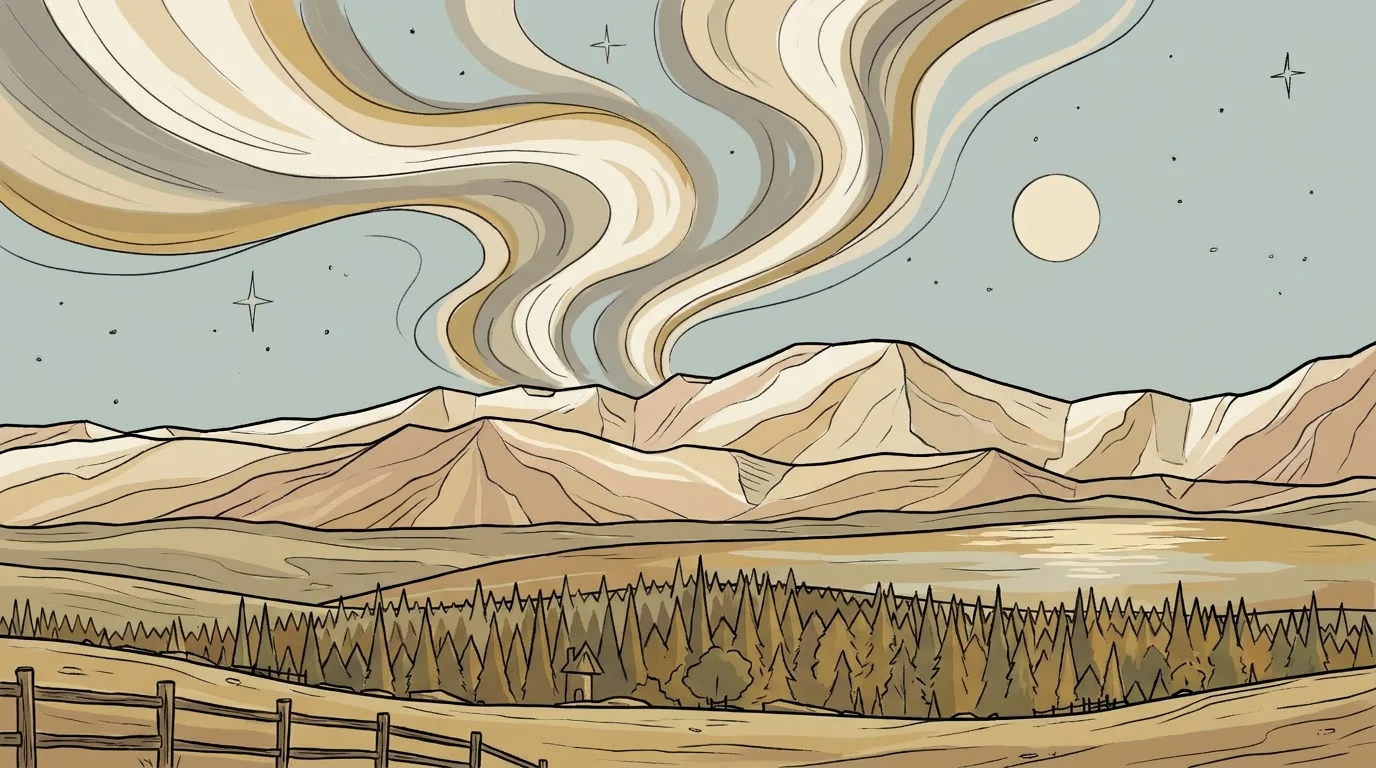
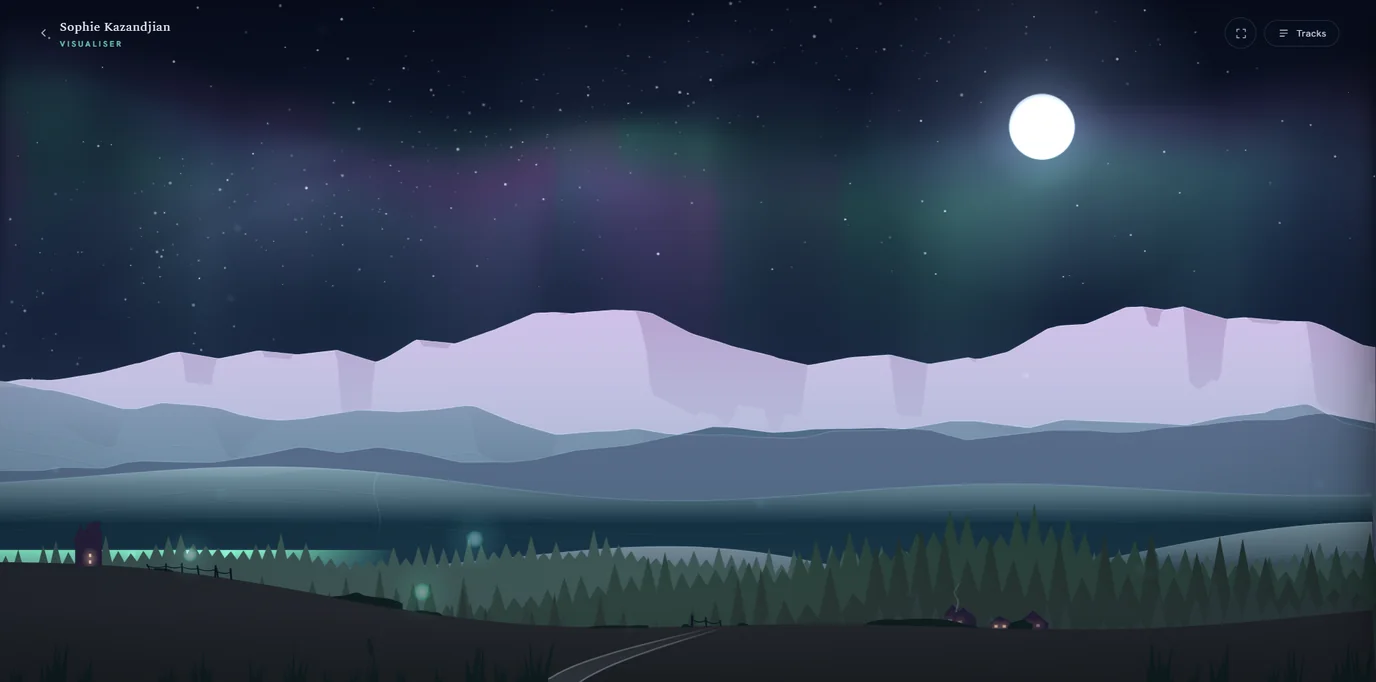
Press play on my music site and the screen becomes a night over the Cairngorms. Snow peaks fade into haze, a pine forest settles below them, a moon climbs and crosses the sky, an aurora drifts and folds overhead, and a loch slides into view and catches the light. The whole scene moves, slowly, like a long pan across the glen, so the ridges and the trees and a cottage window glide past each other and nothing holds still for long. None of it is video. Not one frame is a photograph. I built the scene by talking to Claude, in Claude Design.
What Claude Design's animation feature actually is
Claude Design is Anthropic's visual tool. You open a canvas, describe what you want in plain sentences, and Claude writes the code that draws it while you watch. You refine it the same way. Cooler haze. Slow the aurora down. The moon's too bright. There's no separate editor to fight, and no wait between an idea and seeing it move.
What comes out isn't an image or a clip. It's a small web page that runs in the browser and draws each frame as it goes, thousands of times a minute. It runs as code rather than a video file, and that changes how you move it from Claude Design to wherever you want it.
Building the night sky
The scene is drawn entirely in code. The mountains aren't pictures of mountains. They're instructions for drawing a ridge, run again and again with small changes, so the haze shifts, the moon climbs, the loch surfaces and recedes, and a cottage window flickers on the far side of the trees. The colours came from my own photographs of the glen, sampled pixel by pixel, so the blues on screen are the blues I see from the window.
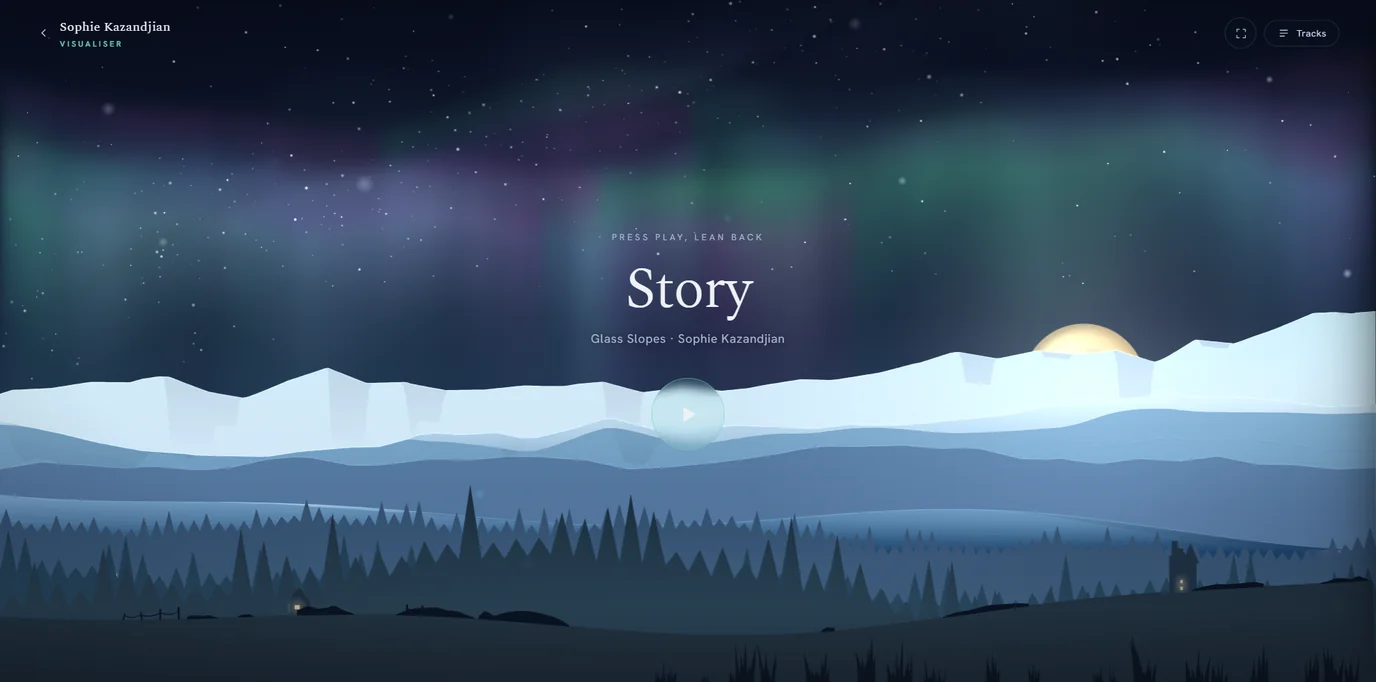
The land drifts on its own slow clock, the same gentle pan whether the track is loud or quiet, sliding from left to right so new hills, forest, mountains and valleys keep easing into view. Only the aurora and a scatter of lights answer to the music, through the browser's audio analysis. The sound moves the sky while the ground keeps its own time underneath, never snapping to a beat. Most visualisers throw the whole picture around on every drum hit. This one keeps its nerve, and lets it wander past at walking pace.
Three I built and binned
Behind the build that went live there's a row of ones that didn't. A flow-field aurora. Translucent glass laid over the slopes. One early version flew you over the terrain like a drone, a thrill for about ten seconds and exhausting after a minute. I made each one with Claude, looked at it, and set it aside because it wasn't the feeling I wanted. Trying another direction cost almost nothing, and that's the part that changes how you work. You can afford to be fussy.
Where a moving thing like this earns its place
I built the visualiser to find out what Claude Design's animation feature could really do, and where it would still need me. A music scene was a low-stakes way to push at the ceiling, and what it taught me carries over to the sites I build for clients.
A coach's landing page can hold a hero that moves a little, without a heavy stock video sitting behind it slowing the page and reporting back to whoever supplied it. A consultant with a method to explain can turn the dense middle of it into something that opens as the reader scrolls, a step at a time, instead of a wall of text nobody finishes. For a workshop or a talk, the same build exports straight to slides, so the thing you prototyped in the browser becomes the deck you present from.
Anything bound for an inbox or a social feed works differently, because there it can't run live. Email clients block the code, and a social post wants a file rather than a web page. So you record the scene as a short clip or grab a still, drop that into the email or the post the way you would any custom newsletter visual, and link out to the live version on your site.
If you want to see the range before trying it yourself, there's a community gallery of real builds shipped with Claude Design, and a hands-on walkthrough that runs through five uses, an animated one among them. More of my writing on working with AI is in the journal.
Getting it out of Claude Design and onto a page
When a build is ready, Claude Design hands you the files. You can export a standalone HTML file, a zip of everything it needs, or pass it to Claude Code to fold into a proper project. After that it's static hosting like any other page. Mine sits on Cloudflare Pages, where the music site already lives. To drop a scene into an existing page rather than give it one of its own, you embed it in an iframe and it runs in its own frame, sized to wherever you want. Nothing phones home, nothing needs a login, and it starts even on a slow connection if you keep the code and fonts on hand instead of fetching them as the page loads.
The part Claude can't do
Claude writes and reasons about code far faster than I can, and it never tires of building the next version. What it can't do is see my screen, or know when something is too much. When I noticed a flicker under the moon, it rendered the scene at phone and desktop sizes, took its own screenshots, and compared them frame by frame to find the fault. That patient, mechanical looking is something it does well. Taste isn't. It had no way of knowing who this music is for, or that restraint was the whole point. One fix for the flicker left the moon rising in small stepped jerks, which I only caught on my own phone, and we put it back. That's roughly how I use AI across the practice, selective and human-led. I bring the place and the eye. Claude brings the build.
There's still a small shadow under the moon that misbehaves, and we've left it for another day.
FAQs
- Which plans include Claude Design?
- Claude Design is available on the Pro, Max, Team and Enterprise plans, at claude.ai/design.
- Can you export a Claude Design animation as a video?
- Not directly. The animation runs as live code in the browser, so there is no built-in video file. You can record the screen, or use a separate tool, to capture an MP4 for social or a slide.
- Can you embed a Claude Design animation on your own website?
- Yes. Export it as a standalone HTML file or a zip, host the files on static hosting such as Cloudflare Pages, and place it in a page directly or inside an iframe.
- Can you use a Claude Design animation in an email newsletter?
- Not as a live animation. Email clients block the JavaScript that runs it. Use a still image or a short recording in the email, and link out to the live version on your site.