Digital Privacy
🔐 BYOD Cyber Security Check-In Toolkit
A simple check-in tool to keep personal devices secure and compliant in your BYOD organisation.
30 Aug 2025 · 2 min read · By Sophie Kazandjian

Cyber Security Check-In for Consultancies with Associates
Show clients you take cyber security seriously. An Airtable-based toolkit to help align with Cyber Essentials, flag risks, and prove you’re proactive about protecting data.
Why You Need This
If your consultancy works with associates or freelancers on a BYOD (Bring Your Own Device) basis, every laptop, every phone, every weak password could expose your business.
Clients - especially in the public sector, local government, and corporates - increasingly want evidence that you take cyber security seriously. But contacting each of your associates individually about their compliance with Cyber Essentials requirements? Unrealistic.
That’s where the Cyber Security Check-In Toolkit comes in.
✅ Gather structured security information from every associate
✅ Instantly flag vulnerabilities and assign a risk rating
✅ Provide AI-driven recommendations and tailored email reports
✅ Track improvements with simple submission dates & remediation status fields
✅ Re-run the check-in bi-annually (or more often) with no extra effort
How It Works
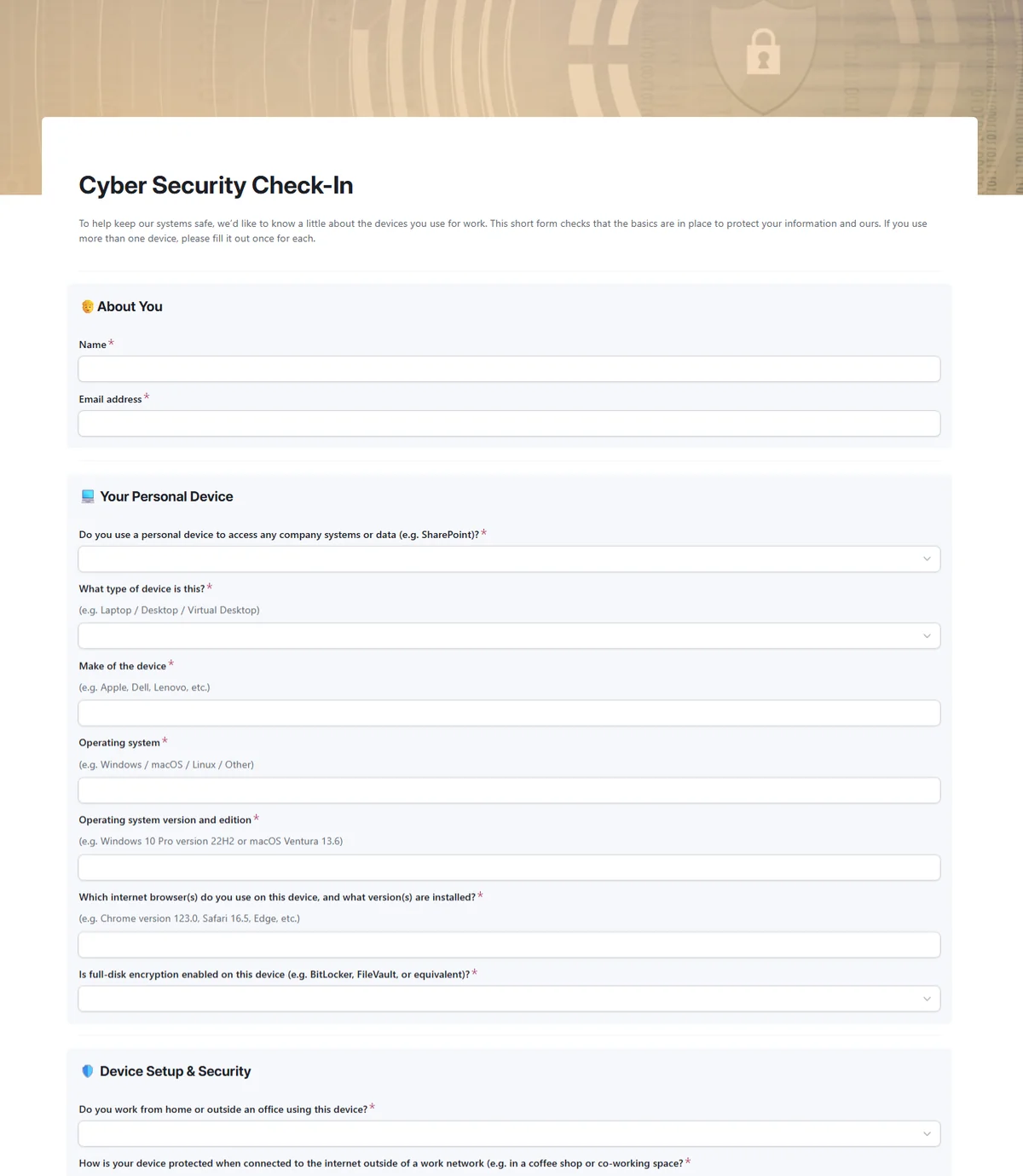
Step 1. Send the form
Invite associates to complete a short cyber security check-in form.
Step 2. Collect the data
Each submission feeds directly into your Airtable base: no spreadsheets to wrangle.
Step 3. Automatic analysis
AI reviews each response, flags vulnerabilities, and scores the device.
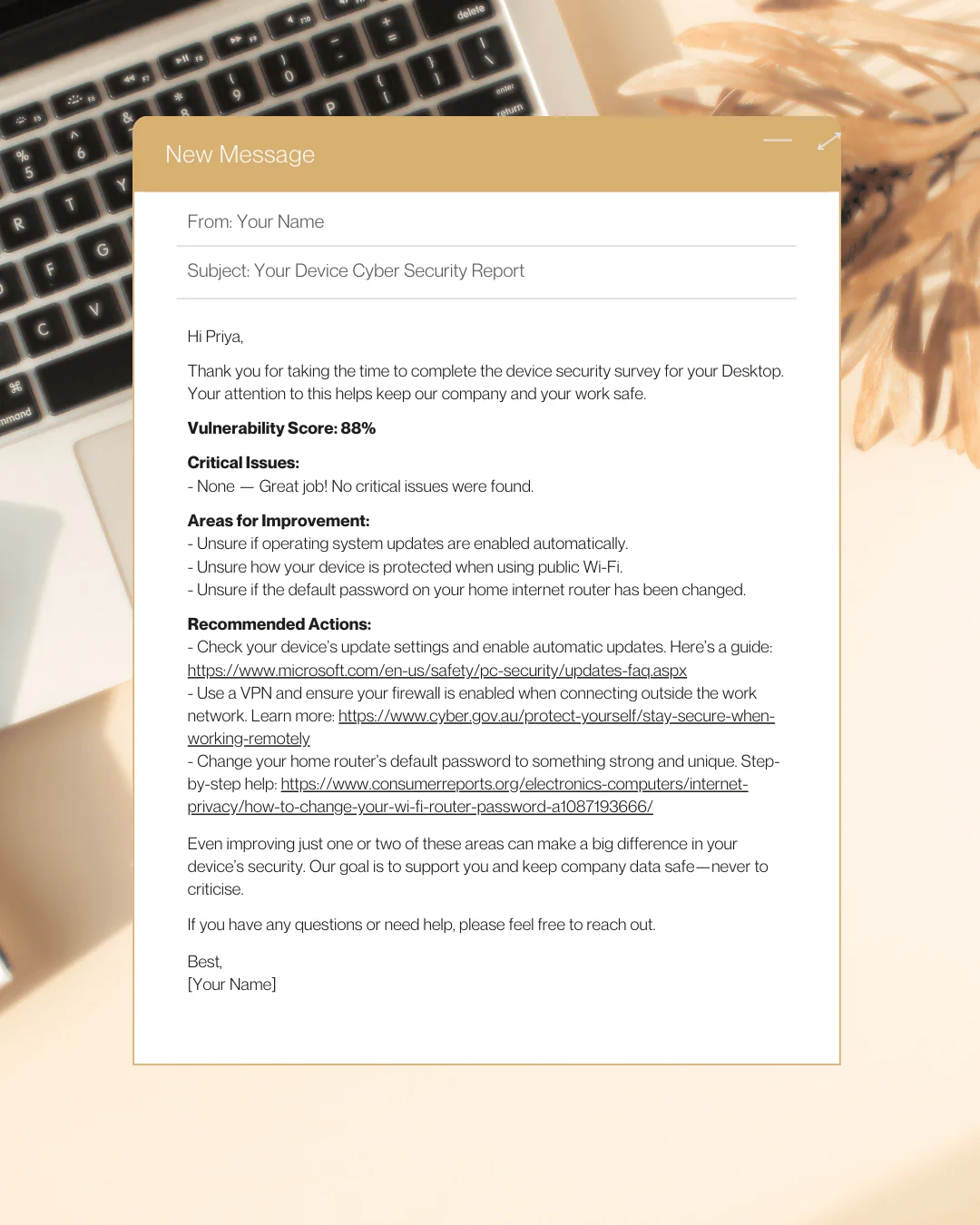
Step 4. Tailored feedback
AI drafts a clear, friendly email for each associate with their personal results and recommended actions, including links to resources to help them improve their vulnerability score.
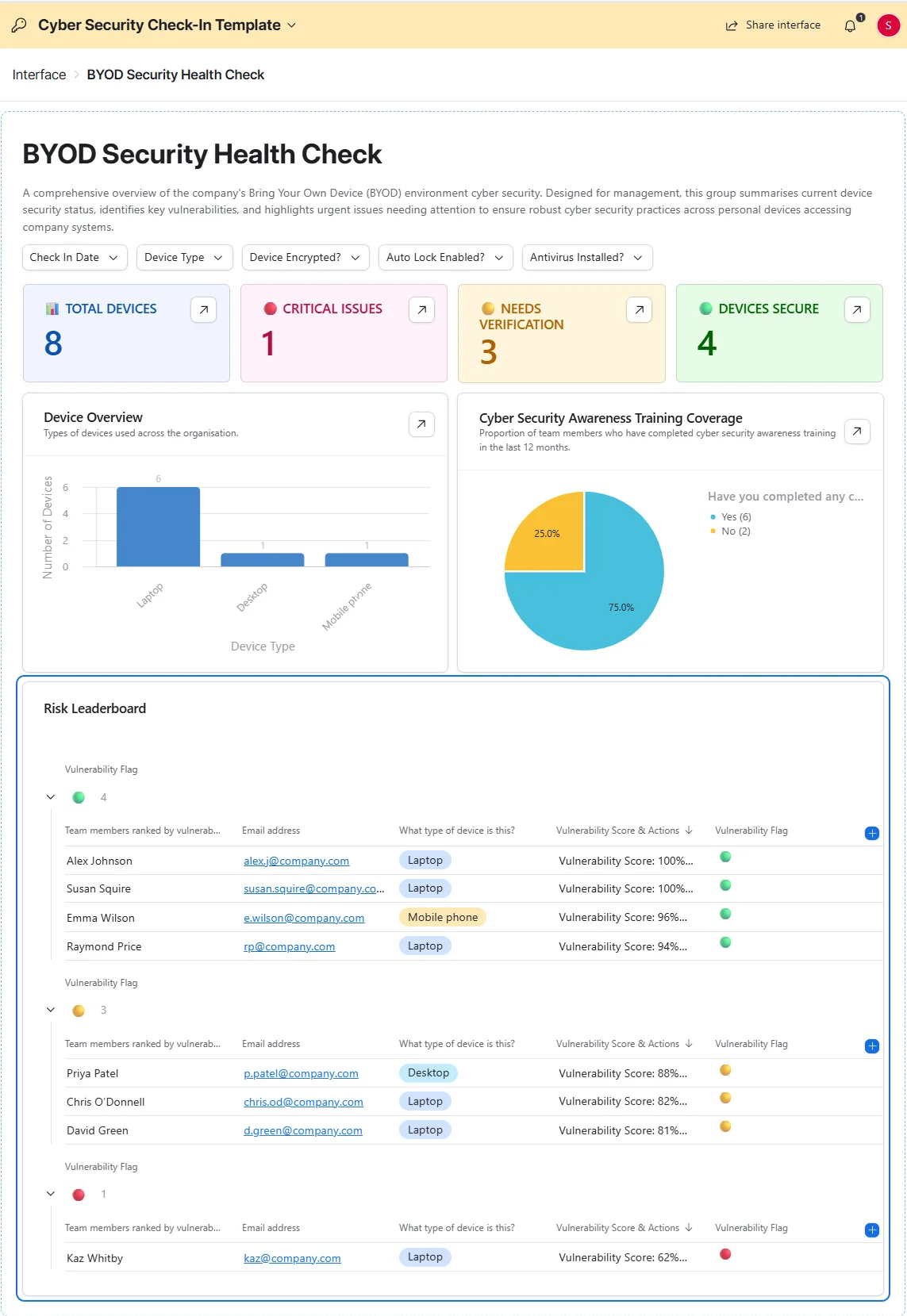
Step 5. See the big picture
Your dashboard gives you instant visibility of overall security health, overdue check-ins, and outstanding remediation tasks.
See It in Action
Pricing
FAQs
- Do I need a paid Airtable plan?
No, everything runs on Airtable's free plan on the DIY and Pro DIY Toolkits. If you want the white-label features on the Premium Toolkit, an Airtable subscription is required.
- Is my data safe?
Yes, all data stays in your Airtable account. We never see or store your associates' responses.
- I've never used Airtable before. Will this be difficult?
Not at all. This toolkit is designed as a beginner-friendly intro to Airtable. Many of our customers had never touched Airtable before and found this a great way to discover its potential for other parts of their business too.
- How long does it take to set up?
Around 30 minutes following our step-by-step guide.
- How many associates can I use this with?
DIY Toolkit works well for up to ~25 associates. Pro and Premium are designed for larger networks with additional automations to ease the workload.
Start proving your cyber security credentials today
Show clients you take their data seriously. Get in touch and let's get your toolkit set up.
Get the toolkit